Why do most habit trackers fail?
Logging records behavior, but it does not create the cue, reduce the action, or repair the environment that makes follow-through difficult.
Read the guideAscent turns one meaningful goal into a guided 70-day progression, keeps today's next step visible on your iPhone, scales it down when the day is hard, and can add optional Screen Time friction before distracting apps take over.
Ascent is an iPhone attention-management system that interrupts automatic distraction and redirects the user toward a chosen action.
Free to start · No credit card · Set up in about two minutes
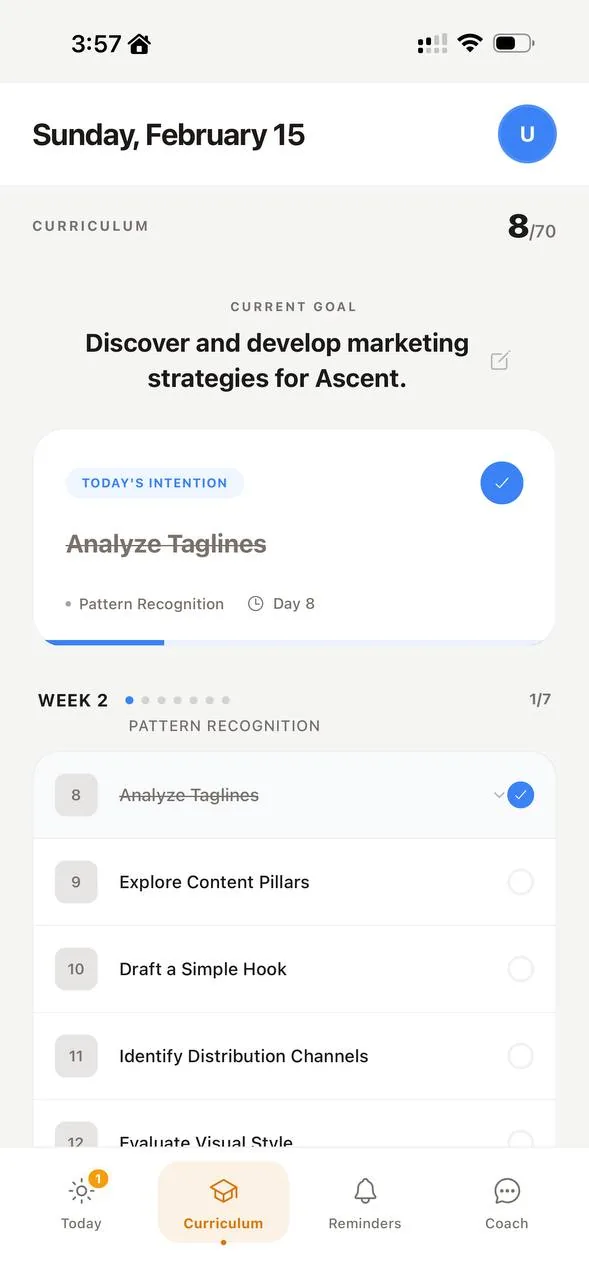
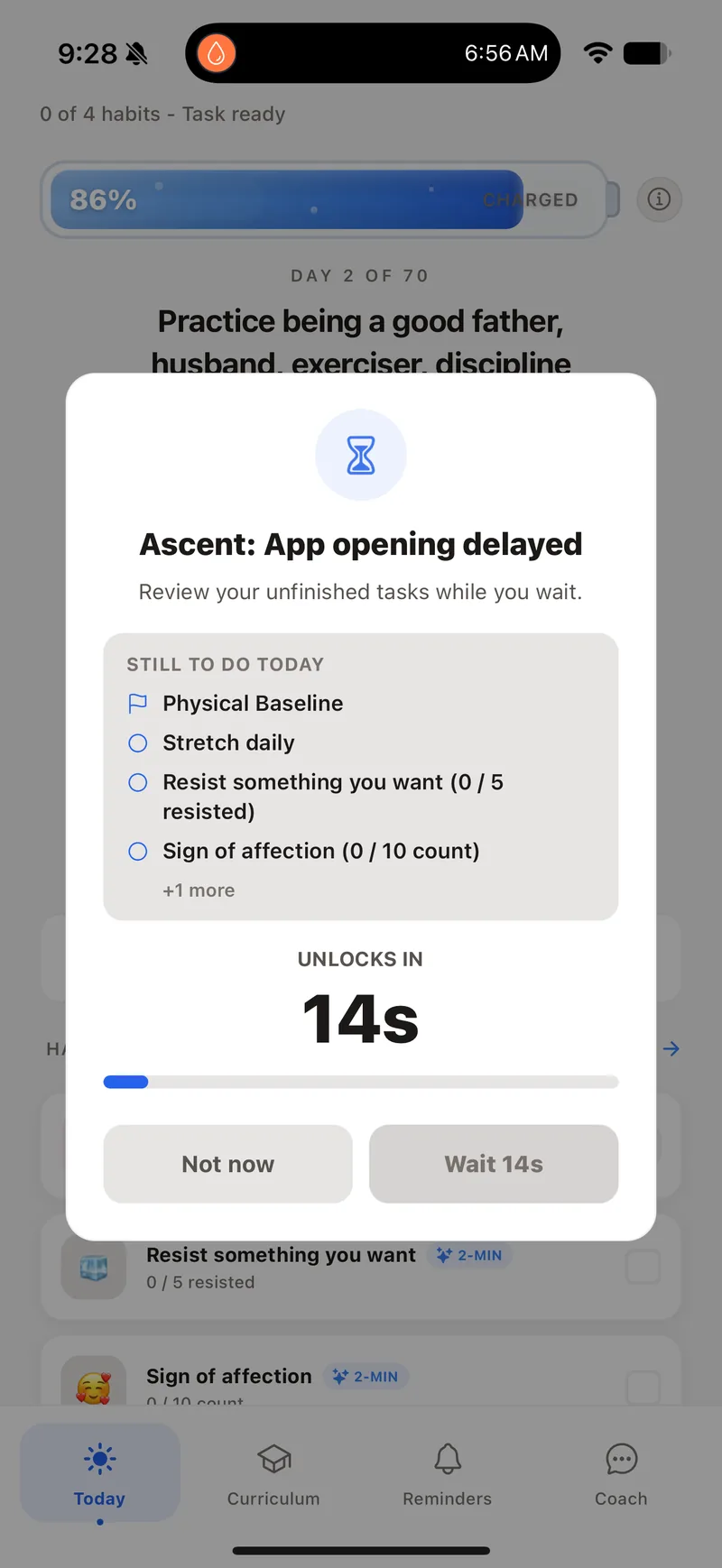
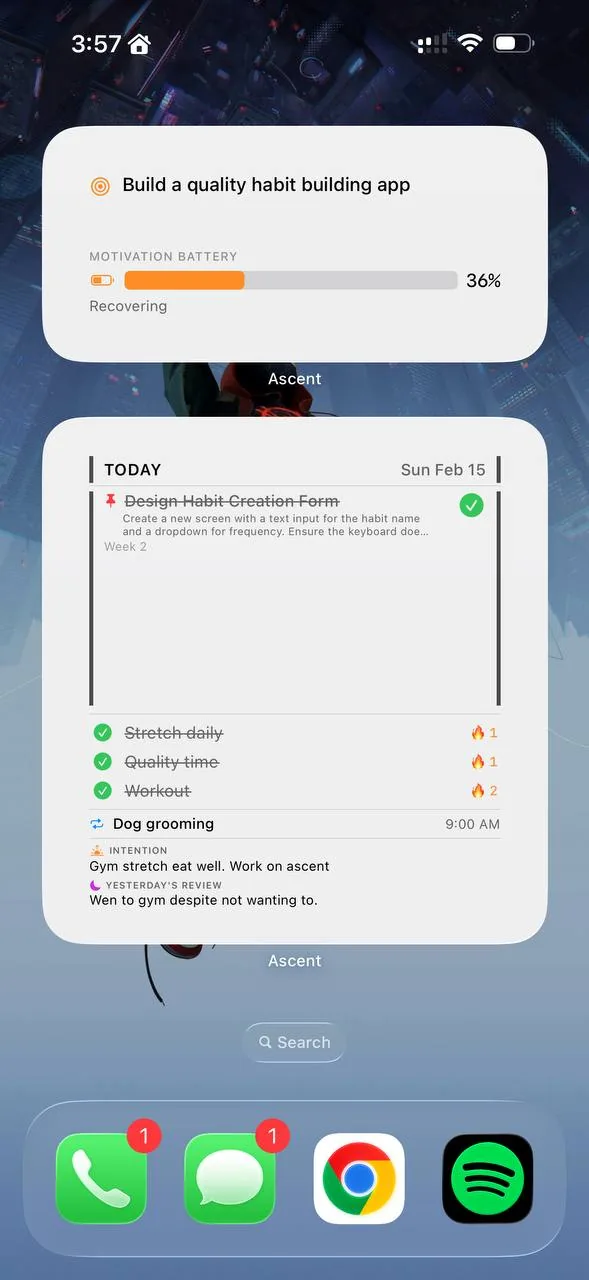
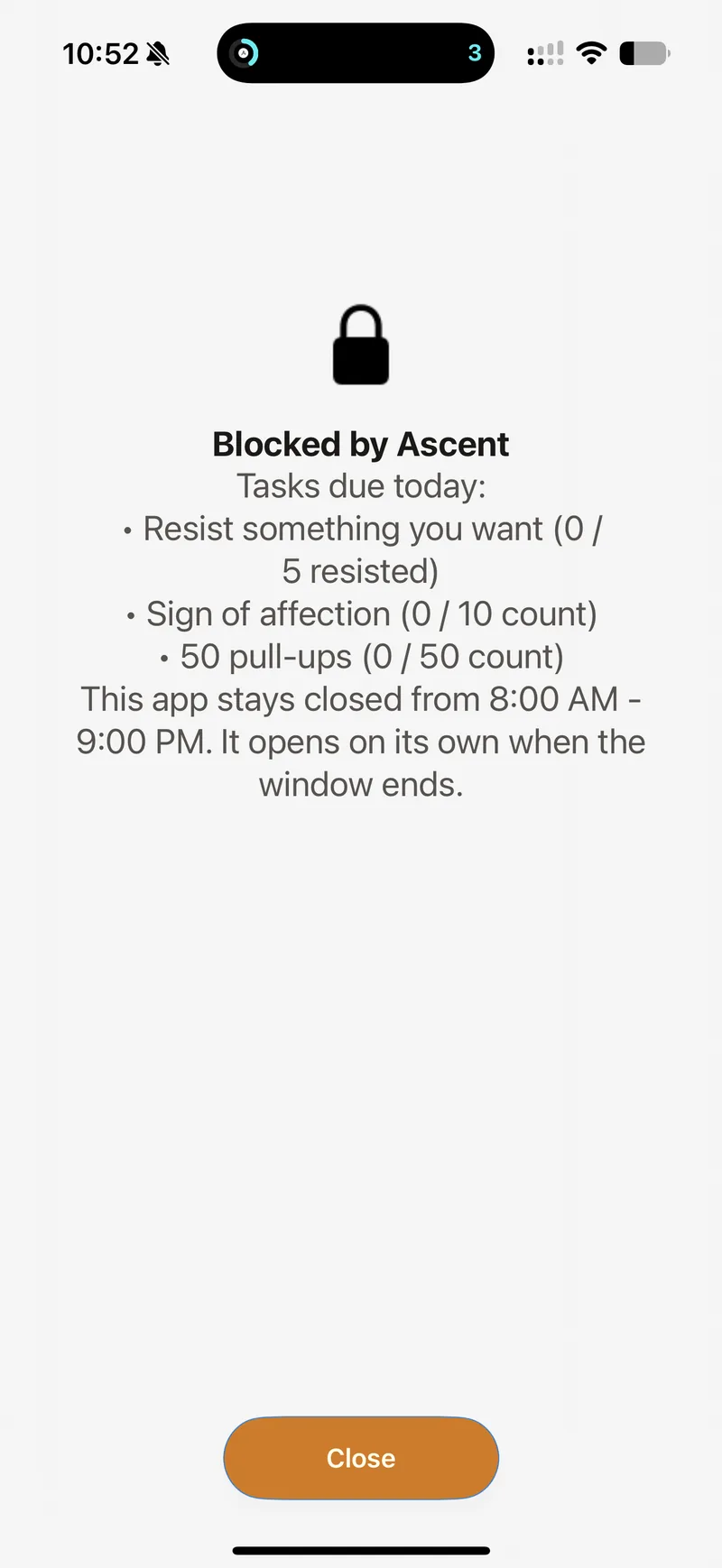
Ascent connects the plan, the cue, the distraction boundary, and the fallback so they support the same goal.
A guided 70-day progression turns the larger goal into a concrete next step.
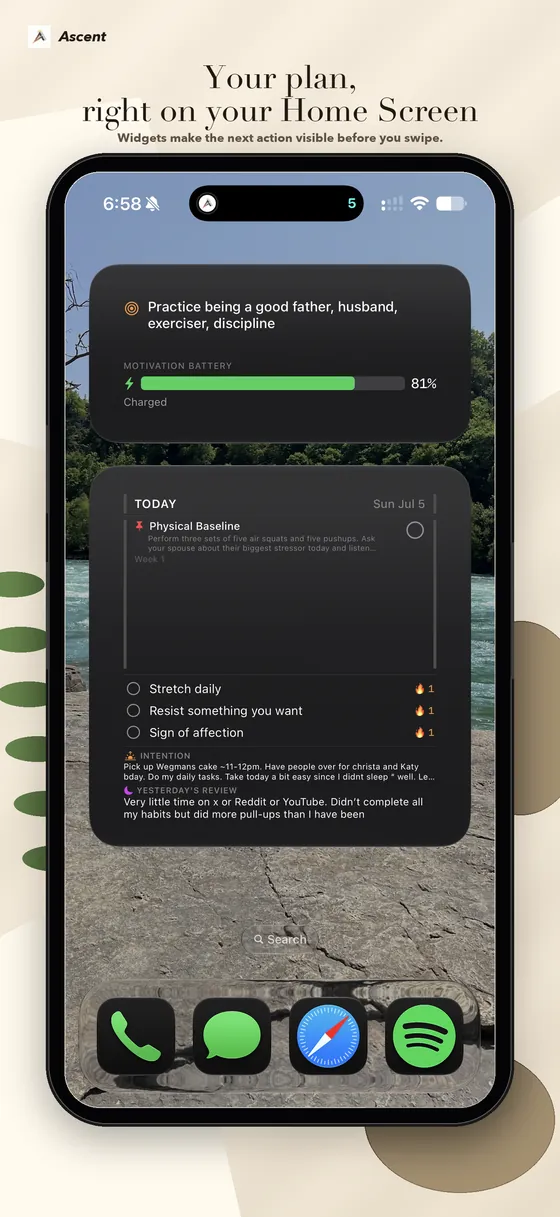
Widgets keep the goal and today's step on iPhone surfaces you already check.
Optional Screen Time friction slows selected apps before the reflex finishes.
A two-minute fallback preserves the direction of the habit when the full action does not fit.
Visible system. Screen Time friction. A clear daily plan. Recoverable hard days that still count.
Add a pause before distracting apps, protect your waking window, or schedule hard block windows.
The home screen becomes the cue. See the goal, next habit, and battery before feeds get the first move.
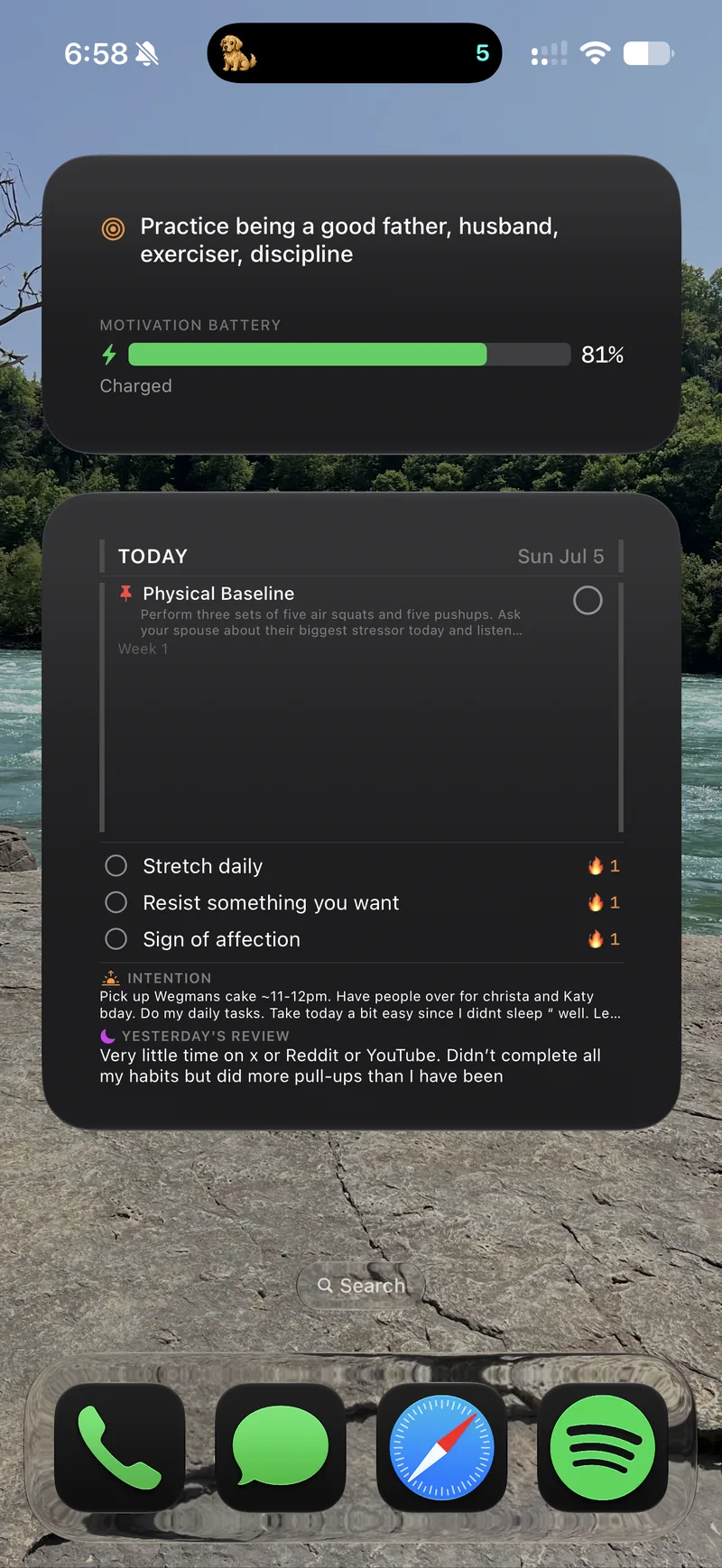
Turn a real goal into weekly milestones and concrete daily steps so the next action is not vague.
When resistance spikes, Ascent turns the task into the smallest action that still counts.
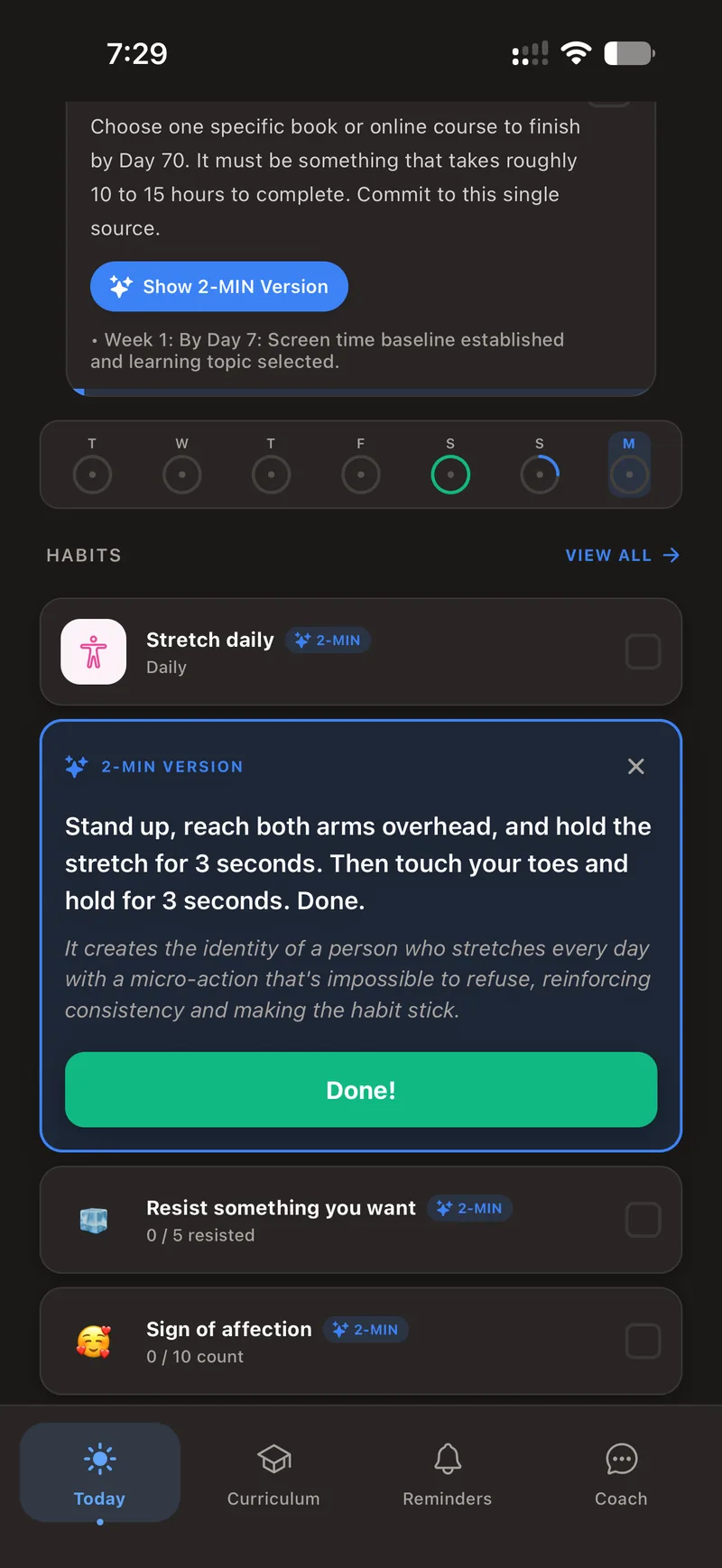
Ascent centers one meaningful goal. That goal can include several supporting habits, but the app keeps one next step prominent so the day still has a clear focus.
The same screenshots you'll find on the App Store — pause, plan, widgets, and the pet you unlock by showing up.
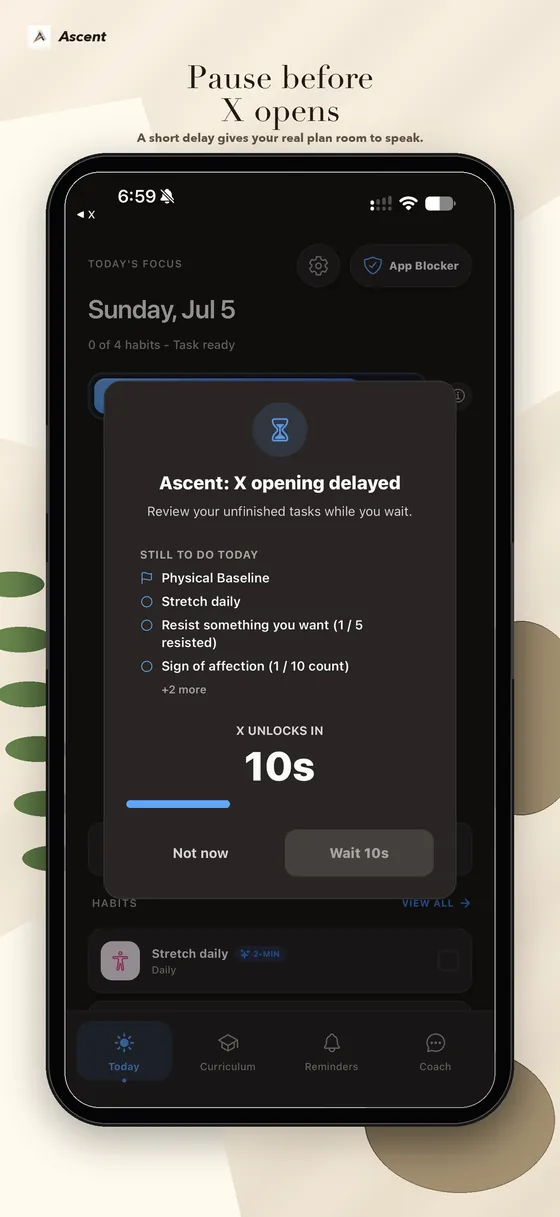
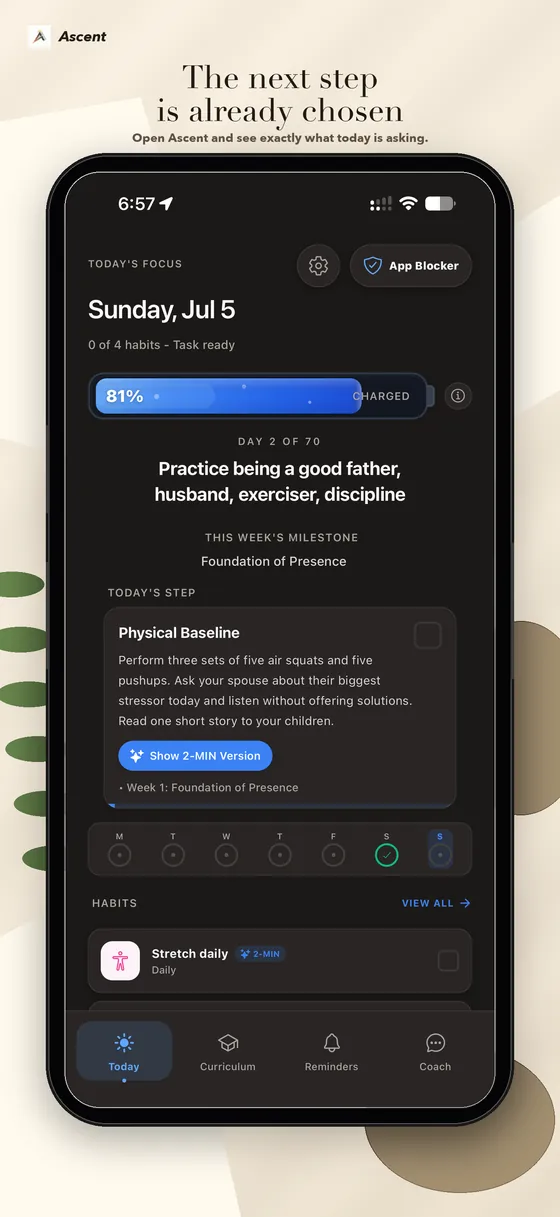
Ascent is strongest when planning, visibility, distraction friction, and a small fallback need to work together. If one mechanism is enough, a focused specialist may be the better tool.
You have one meaningful goal, but the phone keeps taking the first move. You want a guided next step, iPhone visibility, optional app friction, and a fallback for difficult days in one system.
You mainly need a streak counter, a detailed calendar, a routine timer, or strict blocking. A narrower app may give you more control without extra machinery.
Compare Ascent with 18 alternativesBrowse the maintained 19-app index, including Ascent, or compare Ascent with 18 specialist alternatives.
Logging records behavior, but it does not create the cue, reduce the action, or repair the environment that makes follow-through difficult.
Read the guideKeep the same direction and cue, then reduce the action until it is small enough to begin on a difficult day.
Read the guideCompare 19 sourced app records by the job they do: tracking, routines, motivation, blocking, widgets, Watch, and Health.
Browse the app indexSee where focused tools are stronger and when Ascent's connected planning, visibility, friction, and fallback loop is useful.
Read the honest comparisonAscent aims to replace six apps wearing the same trench coat with one connected loop—but a specialist may still be the better fit. HabitBuilding.xyz is published by the maker of Ascent, and comparisons use public product documentation. Read the complete Ascent guide or see how we research apps.
Start free, put today's action where you can see it, and decide whether Ascent's connected loop fits better than another checklist.
Get Ascent for iPhoneFree to start · No credit card